Customization
Private Label Tuya Smart Locks: Models, MOQ & Branding
By GwayLock · Published · Updated
Compare DS01, 196 and CB1 for a private label smart lock range. Use the editable worksheet to confirm app version, branding, MOQ and sample approval.
A private label smart lock project starts with a specific model and configuration. Agree the hardware, app version, door fit and sample before approving the logo, packaging and order quantity.
This guide uses DS01, 196 and CB1 catalogue examples to show what belongs in a useful quotation. Their specifications describe separate platforms and version choices. They do not establish a shared MOQ, a completed sample test or availability of every option.
1. Compare the hardware before choosing your branded range
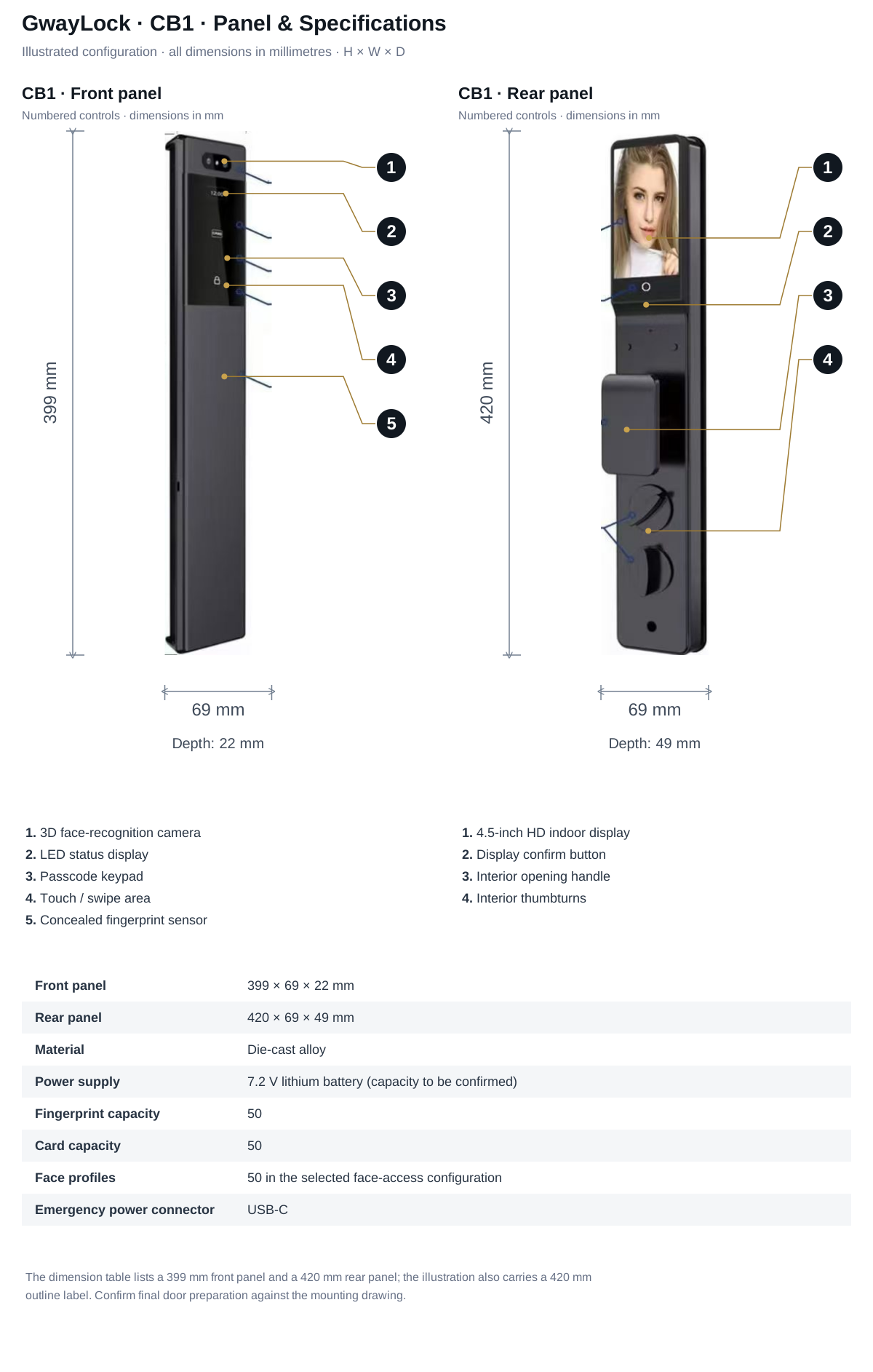
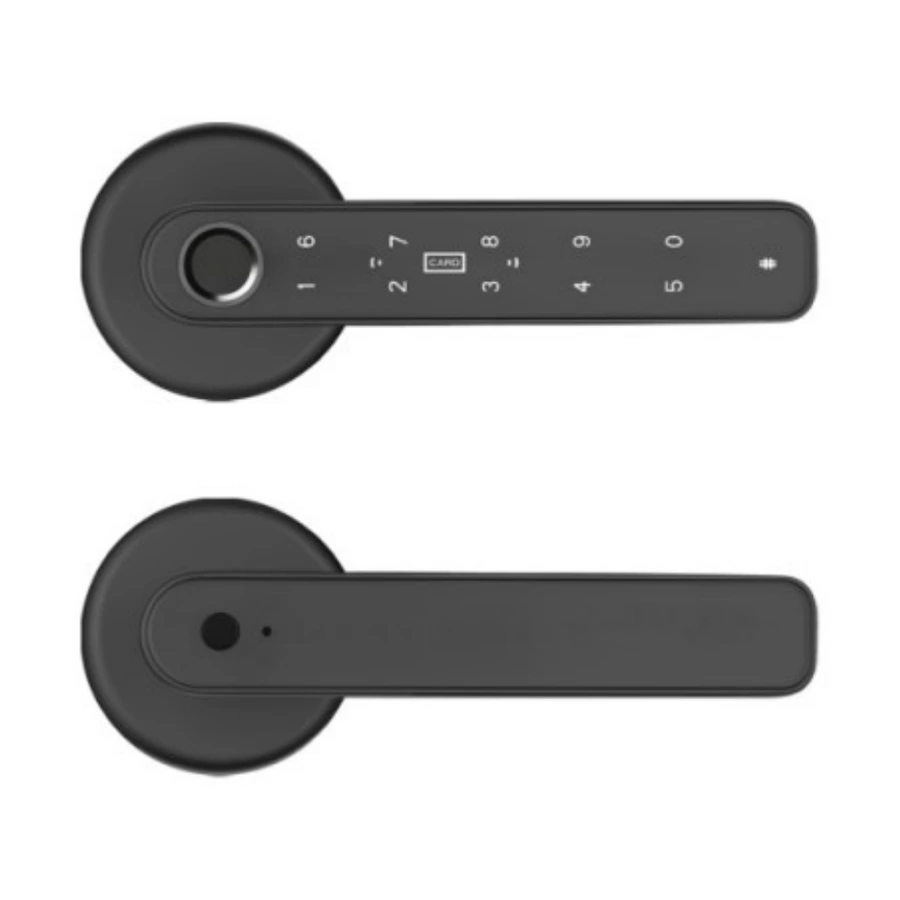
DS01 is a compact deadbolt model. The 196 uses a compact handle format. CB1 is an outdoor-series fully automatic platform. Compare the dimensions, power supply and app labels first, then open the model page for the lock body and source sheet. The later CB1 technical sheet supplies front 399 × 69 × 22 mm and rear 420 × 69 × 49 mm dimensions, with 7.2 V lithium power; use its illustrated configuration when confirming the installation drawing.
On small screens, swipe across the table to compare all models.
| Specification | DS01 | 196 | CB1 |
|---|---|---|---|
| Product format | Deadbolt | Handle | Fully automatic |
| Power | 6 V (4 × AA alkaline batteries) | 6 V (4 × AAA alkaline batteries) | 7.2 V lithium battery (capacity to be confirmed) |
| Door thickness | 35–55 mm | 30–50 mm | 50–100 mm |
| Panel dimensions | Front: 136 × 65 mm; rear: 140 × 68 mm (height × width) | Front and rear: 150 × 64 mm (height × width) | Front: 399 × 69 × 22 mm; Rear: 420 × 69 × 49 mm (H × W × D) |
| App version labels | Standalone (Wi-Fi; confirm configuration) / Tuya (Bluetooth) / TTLock / T3 configuration (confirm specification). Select one configuration; availability must be confirmed. | Standalone / Tuya (Bluetooth) / TTLock. Select one configuration; availability must be confirmed. | Tuya / TTLock. Select one configuration; availability and functions must be confirmed. |
2. Quote one app configuration for each SKU
DS01 lists separate Standalone (Wi-Fi label requires confirmation), Tuya (Bluetooth), TTLock and T3 configurations. Confirm the Standalone wireless label and the T3 platform and functions before ordering. The 196 lists Standalone, Tuya (Bluetooth) and TTLock as separate versions. CB1 lists Tuya and TTLock as separate options. A model with several platform labels is not a promise that one unit supports every platform.
Write the selected platform and wireless setup on the quotation. Confirm the app name, pairing method, network or gateway requirement and the functions your customer will use. Test these on the exact sample version. Discuss branded-app or firmware requirements separately from a logo and packaging quote.
- Record the model, hardware revision and firmware identifier if provided.
- Confirm whether remote access, temporary codes and access records are supported by that version.
- For 196, do not describe the Tuya (Bluetooth) label as a Tuya direct-Wi-Fi specification.
- For CB1, confirm the selected mortise and outdoor exposure documentation as well as app behavior.
3. Separate branding work from product development
Ask the supplier to confirm each branding item against the chosen hardware. A logo location or finish that works on one panel may not be suitable for another. Agree what is included in the price before preparing final artwork.
On small screens, swipe across the table to compare all models.
| Item | Buyer supplies | Supplier confirms |
|---|---|---|
| Panel or handle logo | Artwork and preferred position | Available marking process, artwork proof and model feasibility |
| Finish | Reference finish or approved sample | Available option, consistency target and any order requirement |
| Box, labels and manual | Brand files, languages and accessory list | Dimensions, proof, printing scope and packaging quantity |
| App or firmware change | Required workflow and market | Feasibility, ownership or licensing scope, development and testing plan |
| Order plan | Sample quantity, estimated bulk quantity and target date | MOQ and lead time for this exact model and customization |
4. Fill in the private label confirmation worksheet
Use the Private Label tab in the downloadable workbook. Enter your requirements in the amber cells and ask the supplier to complete the confirmation fields. Leave price, MOQ and lead time open until a quotation is received.
- Identify the model, version, intended market, door thickness and lock body.
- Separate the sample quantity from the estimated bulk order.
- Record the logo, finish, packaging, manual language and artwork revision.
- Record sample approval, quotation reference, document scope and unresolved items.
- Keep the confirmed configuration with the purchase order so later packaging or firmware changes can be reviewed.
5. Approve the sample and the branded packing separately
Check the physical sample on a representative door before approving final packaging. Record the selected unlock methods, pairing and reset workflow, battery access, included accessories and installation result. A successful app pairing alone does not complete the approval.
Then review logo position, box size, manual content, labels and carton marks against the approved sample. Keep a dated approval reference for both the product configuration and artwork. Agree how changes will be handled before bulk production.
6. Confirm documents and support for the selected version
Request available documents using the exact model and wireless configuration. Check which model, version and market the document covers. CE / FCC / RoHS availability is model-specific. Keep installation, app setup, reset, battery and spare-parts information consistent with the approved SKU.
Sources and scope
Product information follows the referenced catalogue pages. Confirm the selected configuration and installation before ordering.
FAQ
Frequently Asked Questions
Which catalogue models can I compare for a private label range?
Compare DS01, 196 and CB1 as different platforms. DS01 lists separate Standalone (Wi-Fi; confirm configuration), Tuya (Bluetooth), TTLock and T3 configuration labels; confirm the selected T3 specification. The 196 lists separate Standalone, Tuya (Bluetooth) and TTLock versions; CB1 lists separate Tuya and TTLock options. Confirm availability, door fit and the selected configuration before sampling.
What affects MOQ for private label Tuya smart locks?
MOQ is affected by the selected model, logo process, packaging type, color or finish, manual language, component availability and whether the project requires simple OEM branding or deeper changes.
Does private label branding include a custom app?
A logo or packaging quote does not establish branded-app or firmware development. Define those requirements separately and confirm feasibility, scope and testing for the selected model.
Keep reading
Related Articles
Tuya Smart Door Lock OEM: What Importers Should Check Before Ordering
A practical Tuya smart door lock OEM checklist for importers, distributors and smart home brands before sample approval and bulk orders.
Jun 25, 2026
Smart Lock QA & QC: Inspection Checklist for Buyers
Plan smart lock QA and QC with model-specific door-fit, power, access and app checks. Download an editable inspection record for samples and pre-shipment review.
Jun 4, 2026
Smart Lock OEM/ODM RFQ Template for Overseas Buyers
A clear RFQ template for overseas smart lock buyers requesting OEM/ODM quotations, samples, customization and export support.
Jun 25, 2026
Need supplier support?
Discuss your smart lock OEM/ODM project with GwayLock
Send us your target market, door type, preferred app platform and customization needs. Our team will help you evaluate suitable models and prepare a practical quotation.