Product Guide
Tuya Smart Door Lock OEM: What Importers Should Check Before Ordering
Jun 25, 2026
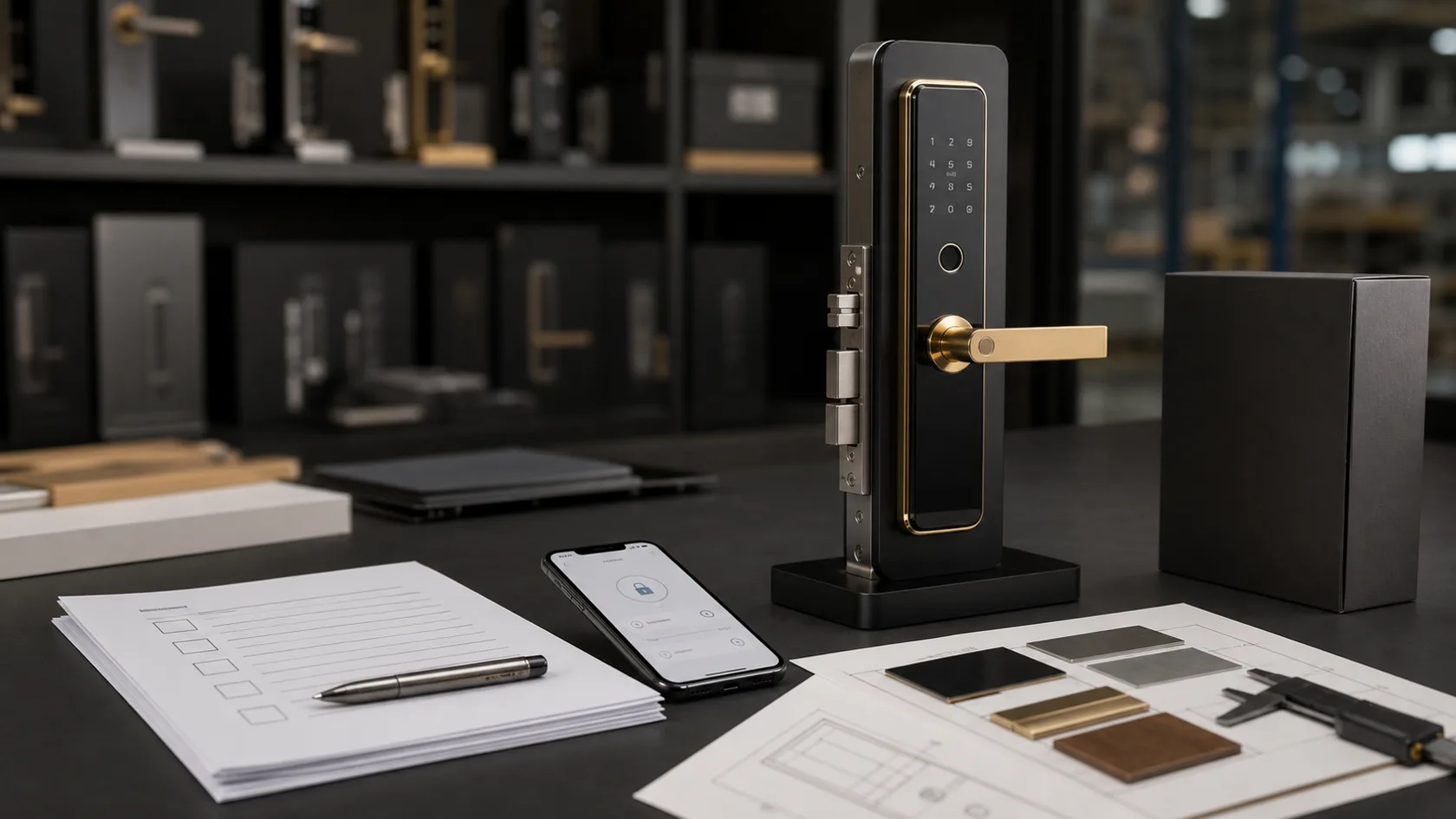
Tuya smart door locks are often attractive to importers because they connect with a wider smart home ecosystem and are easy for buyers to understand. But a Tuya label alone does not guarantee that every model, app function or production detail will fit your sales channel.
Before ordering samples or confirming a bulk OEM project, importers should check the lock hardware, app workflow, gateway requirement, customization scope, packaging and after-sales preparation together. This checklist helps buyers ask clearer questions before requesting a quotation.
1. Confirm whether Tuya is the right app platform
Tuya is often suitable for smart home distributors, connected device resellers and brands that already sell app-controlled home products. It may not be the best fit for every apartment, hotel or project workflow, so buyers should start from the user scenario instead of choosing the app name first.
- Choose Tuya when smart home ecosystem compatibility matters.
- Check whether your target users expect Wi-Fi, Bluetooth or gateway-based control.
- Compare Tuya with TTLock or model-specific app options when access management is the main requirement.
- Ask whether the selected lock model supports the Tuya functions you plan to promote.
2. Check the exact lock model and wireless version
Different Tuya smart door locks may use different wireless modules, power structures, lock bodies and app configurations. Buyers should avoid assuming that all Tuya models support the same functions.
- Confirm Wi-Fi, Bluetooth, Zigbee or gateway requirement by model.
- Ask whether remote unlock, temporary password and notifications are supported.
- Check whether battery life expectations change with direct Wi-Fi use.
- Confirm door thickness, lock body, opening direction and installation hole requirements.
3. Test the app workflow before mass production
App testing should happen before bulk production, not after the goods arrive. A sample test should cover the full user path from pairing to daily access and reset.
- Test account registration, language, pairing and lock reset.
- Create users, passwords, fingerprints and cards if the model supports them.
- Check temporary password behavior and remote access if available.
- Test gateway setup when remote functions depend on a gateway.
- Record screenshots or videos for future after-sales support materials.
4. Separate OEM customization from Tuya app support
OEM customization usually covers logo, panel finish, packaging, manual, labels and accessory configuration. Tuya app support is a separate technical topic that depends on the model and platform setup. Buyers should confirm both areas clearly.
- Logo process: laser marking, printing or label depending on model.
- Packaging: neutral box, private label box, manual and carton marks.
- Function set: fingerprint, passcode, card, app, key and gateway option.
- App option: Tuya Smart, Smart Life or other supported setup depending on model.
- MOQ: confirm whether logo, color and packaging have different MOQ rules.
5. Review compliance documents by exact model
Importers should check available CE / FCC / RoHS documents for the exact model and wireless configuration they plan to buy. Broad claims are not enough for export planning.
- Ask whether documents are available for the selected model.
- Check model number, wireless module and report scope.
- Confirm destination market requirements with your importer, local advisor or test lab.
- Keep manuals, labels and packaging information consistent with the approved model.
6. Prepare support materials for your channel
Tuya smart locks can be easy to sell, but after-sales pressure can increase if end users do not understand installation, app setup, reset or battery replacement. Buyers should prepare support materials before shipment.
- Installation guide for the target door type.
- App pairing and reset instructions.
- Battery replacement and low battery FAQ.
- Gateway setup guide if remote access needs a gateway.
- Troubleshooting notes for distributors or project installers.
Conclusion
A Tuya smart door lock OEM project should be evaluated as a complete product, not only as an app-compatible lock. Importers should test the exact model, app workflow, door fit, customization scope, packaging and support materials before confirming mass production.
FAQ
Frequently Asked Questions
Are Tuya smart door locks suitable for OEM projects?
Yes. Tuya smart door locks can be suitable for OEM projects when the buyer needs smart home app compatibility, private label packaging and a mature product platform. The exact model, wireless version and supported functions should still be tested before bulk orders.
Do all Tuya smart locks support remote access?
No. Remote access depends on the selected model, wireless module and gateway requirement. Buyers should test remote unlock, temporary passwords and gateway setup during sample evaluation.
What should importers check before ordering Tuya smart locks?
Importers should check door compatibility, app workflow, gateway requirement, battery behavior, customization scope, packaging, available compliance documents and after-sales support materials.
Keep reading
Related Articles
Tuya Smart Lock Buying Guide for Distributors
How distributors can evaluate Tuya smart locks for smart home channels and connected product lines.
May 28, 2026
Private Label Tuya Smart Locks: Logo, Packaging, App and MOQ Guide
How smart lock distributors and brands can plan private label Tuya smart locks with logo, packaging, app options, MOQ and sample approval.
Jun 25, 2026
Tuya vs TTLock Smart Locks: Key Differences for Importers
A buyer-friendly comparison of Tuya and TTLock smart lock ecosystems for different B2B markets.
Jun 16, 2026
Need supplier support?
Discuss your smart lock OEM/ODM project with GwayLock
Send us your target market, door type, preferred app platform and customization needs. Our team will help you evaluate suitable models and prepare a practical quotation.
