Quality Control
Smart Lock QA & QC: Inspection Checklist for Buyers
By GwayLock · Published · Updated
Plan smart lock QA and QC with model-specific door-fit, power, access and app checks. Download an editable inspection record for samples and pre-shipment review.
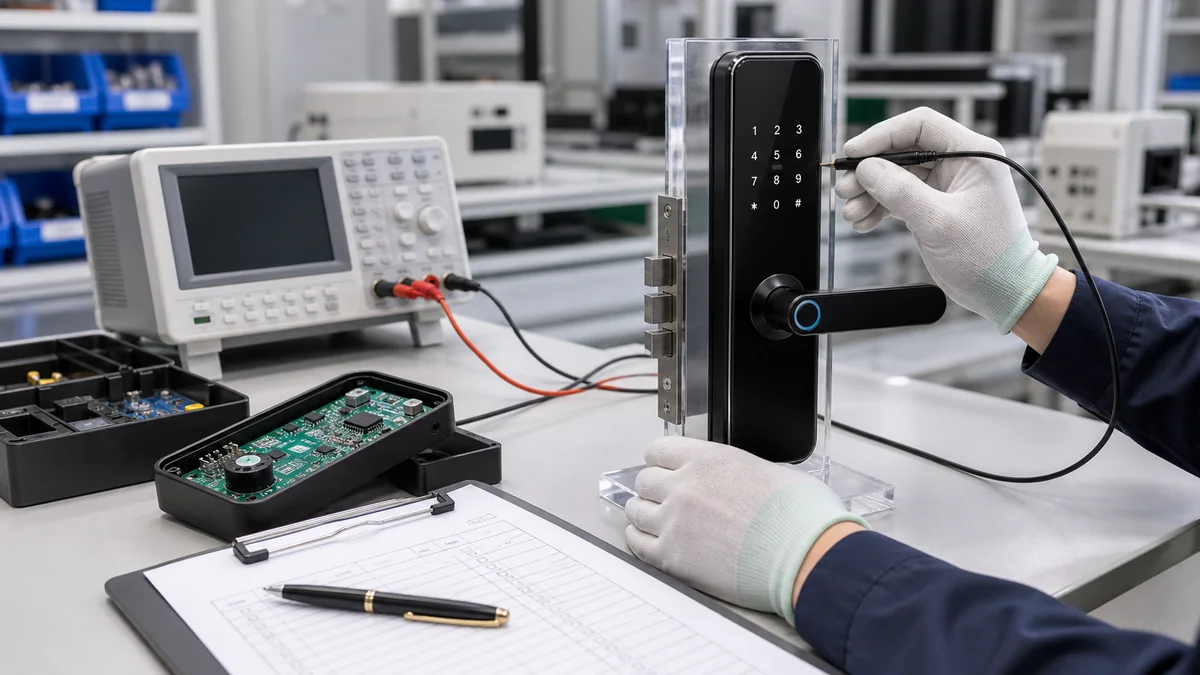
Smart lock quality assurance starts before production with a defined model, configuration and acceptance criteria. Quality control checks the sample or batch against those agreed requirements and records the observations.
Use this checklist to prepare a sample review or pre-shipment inspection. It is a proposed inspection plan, not a completed GwayLock test report. No pass results, endurance figures, protection ratings or defect rates are supplied. Fill in the actual evidence for your selected hardware.
QA vs QC: agree the requirements, then inspect the product
Quality assurance and quality control answer different questions in a smart lock order. QA defines how the intended configuration and production changes will be controlled; QC records whether inspected units meet the agreed requirements. Agree who owns each stage, including any work performed by production partners. Neither a catalogue nor a proposed checklist is evidence of a passed inspection.
On small screens, swipe across the table to compare all models.
| Stage | Practical activity | Record to agree |
|---|---|---|
| Before production: QA | Freeze the model, app/firmware version, door drawing, materials and branding scope | Approved specification and sample revision; named approval and change-control owners |
| Incoming and assembly: QA + QC | Define assembly checks, identify components and inspect against the agreed process | Component or lot identity, check criteria, observations and corrective actions |
| Sample and pre-shipment inspection: QC | Inspect the agreed units for fit, operation, recovery, app workflow and packing | Selection method, inspected quantity, actual results, photos and unresolved items |
| Release and repeat order | Resolve failures, document rechecks and confirm the supplied version | Release decision, approver, remaining conditions and revision for the next order |
1. Define the sample or batch before inspecting it
Record the supplier quotation, purchase order, model, selected app version, finish, firmware identifier if available, included mortise and accessory list. For a batch, agree the lot size, sample selection, inspection quantity and acceptance or rejection rules before inspection.
- Keep an approved sample or specification revision as the comparison reference.
- Separate catalogue-listed functions from optional features included in the order.
- Agree any measured tolerances, test duration and acceptance limits with the supplier.
- Keep untested items open. A passed appearance check does not approve app operation or door fit.
2. Build checks around the actual model
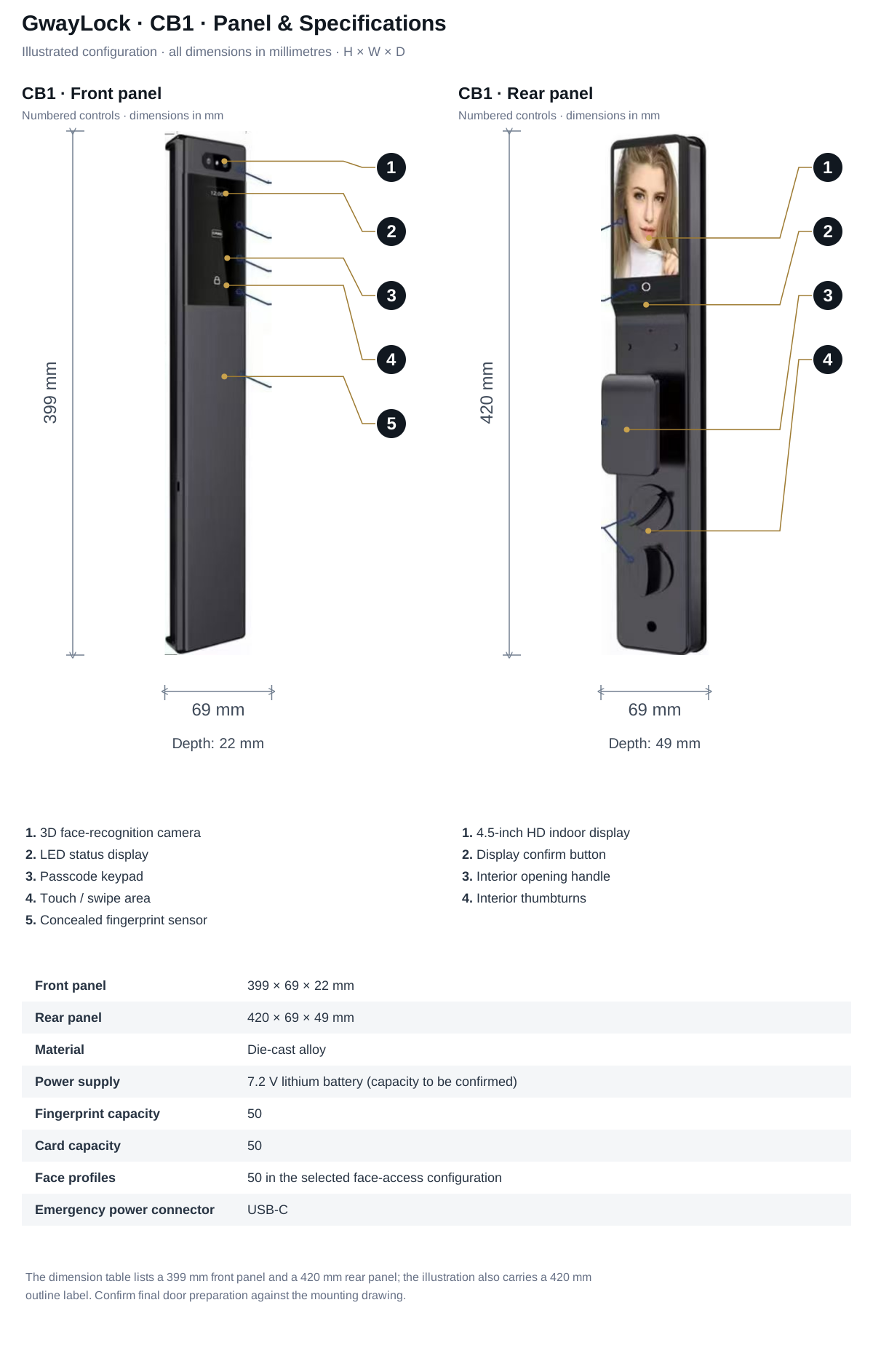
These catalogue differences change what you inspect. DS01 uses four AA batteries, a 136 × 65 mm front panel and a 140 × 68 mm rear panel. The 196 uses four AAA batteries and separate platform versions. The later CB1 sheet lists 7.2 V lithium power, a 399 × 69 × 22 mm front panel and a 420 × 69 × 49 mm rear panel. Its battery capacity, mounting details and exposure evidence still need configuration confirmation.
On small screens, swipe across the table to compare all models.
| Specification | DS01 | 196 | CB1 |
|---|---|---|---|
| Product format | Deadbolt | Handle | Fully automatic |
| Power | 6 V (4 × AA alkaline batteries) | 6 V (4 × AAA alkaline batteries) | 7.2 V lithium battery (capacity to be confirmed) |
| Door thickness | 35–55 mm | 30–50 mm | 50–100 mm |
| Panel dimensions | Front: 136 × 65 mm; rear: 140 × 68 mm (height × width) | Front and rear: 150 × 64 mm (height × width) | Front: 399 × 69 × 22 mm; Rear: 420 × 69 × 49 mm (H × W × D) |
| App version labels | Standalone (Wi-Fi; confirm configuration) / Tuya (Bluetooth) / TTLock / T3 configuration (confirm specification). Select one configuration; availability must be confirmed. | Standalone / Tuya (Bluetooth) / TTLock. Select one configuration; availability must be confirmed. | Tuya / TTLock. Select one configuration; availability and functions must be confirmed. |
3. Check installation, access and recovery
Fit the sample to a representative door using the selected lock body and accessories. Inspect the checks below against the agreed specification and record the outcome. They are inspection prompts, not a claim that a model has passed.
On small screens, swipe across the table to compare all models.
| Check | What to verify | Evidence to record | When details are missing |
|---|---|---|---|
| Door fit and mortise | Door thickness, cutout, handing, alignment and included body | Door measurements, mortise identifier and installation photos | Request the drawing and selected hardware before approval |
| Appearance and assembly | Finish, logo position, panel alignment, handle movement and fasteners | Photos and agreed comparison sample | Agree finish references and tolerances |
| Power and servicing | Supplied battery type, compartment access and selected power accessories | Battery identification and service procedure | Confirm connector and power requirements |
| Access methods | Each credential listed in the order and normal inside operation | Configuration and observed behavior for each method | Mark optional or untested methods separately |
| Recovery and reset | Mechanical backup, low-battery behavior and supplied reset instructions | Observed steps, result and evidence reference | Request model-specific instructions |
| App workflow | Pairing, permissions, available remote functions and gateway setup if required | App, firmware, network setup and observations | Confirm supported functions for the selected platform |
4. Add the checks that differ between DS01, 196 and CB1
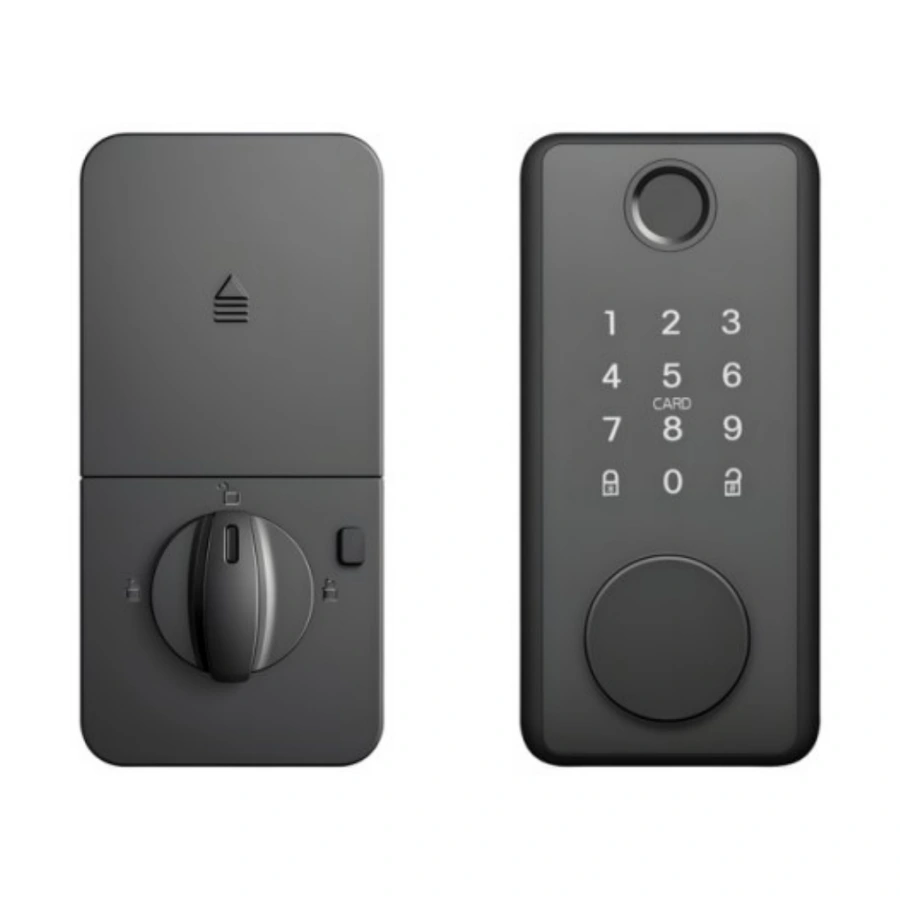
For DS01, compare the 136 × 65 mm front panel, 140 × 68 mm rear panel and selected 60 / 70 mm latch backset with the actual door preparation. The catalogue lists 35–55 mm doors and four AA batteries. Select one Standalone (Wi-Fi label requires confirmation), Tuya (Bluetooth), TTLock or T3 configuration. Confirm the T3 platform and functions, and identify whether the optional door sensor is included before testing the ordered access methods.
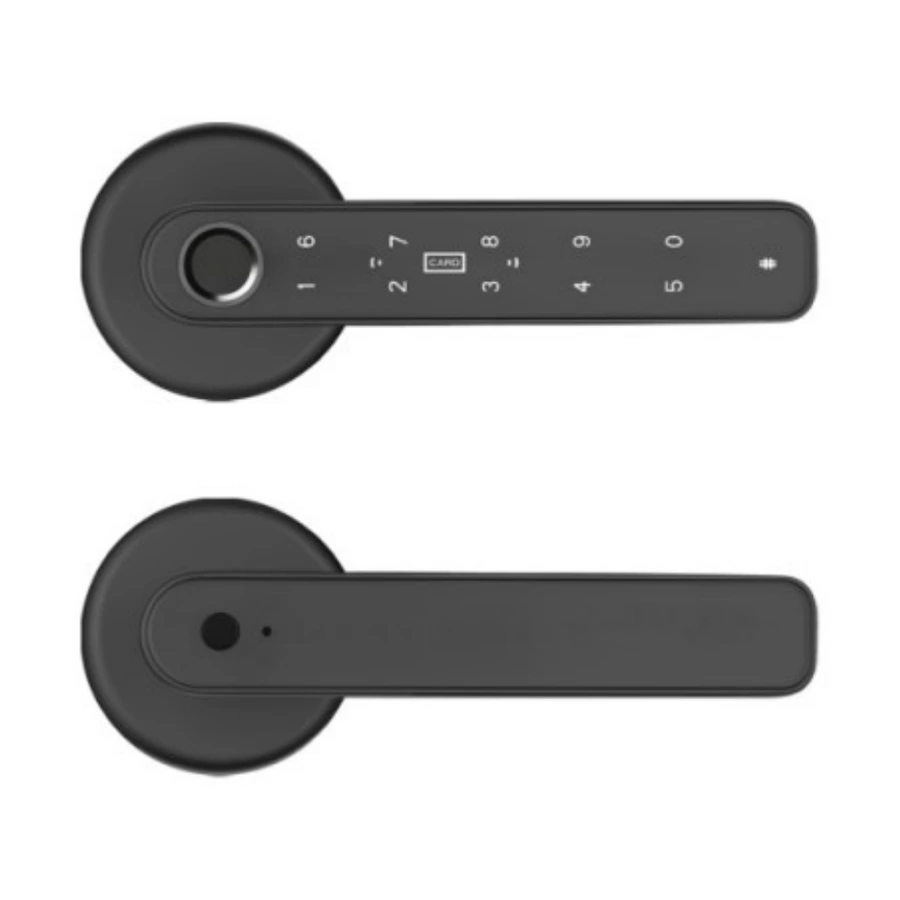
For 196, confirm the selected Standalone, Tuya (Bluetooth) or TTLock version and the 60 / 70 mm latch backset option. The catalogue lists 30–50 mm doors. It also lists packing of 20 sets per carton, a 450 × 370 × 390 mm carton and 19 kg carton weight. Compare the actual shipment with its confirmed packing specification.
For CB1, request the missing panel drawing, included mortise, supplied battery and emergency-power details. The source describes an outdoor protection design without a numerical test rating. Obtain model-specific exposure documentation and agree any protection evaluation before treating it as passed. Three-dimensional face access is an optional configuration.
5. Record evidence, open items and the final decision
Use the QC Record tab in the workbook. Each row has separate fields for the requirement, observation, status, evidence reference and follow-up. Status choices include Not tested, Pass, Fail and N/A. Select Pass only after recording the observation against an agreed criterion.
- Record inspection date, inspector, sample or lot identifier and configuration.
- Use Not tested for an unperformed check and explain any N/A item.
- Keep photos or videos traceable through an evidence filename or reference.
- Assign unresolved items for correction or confirmation, then record the recheck.
- Keep final release and approval separate from individual check results. Leave them open until the agreed requirements are resolved.
6. Check branded packing and shipment information
Check quantity, accessories, manuals, model labels, artwork revision, inner protection and carton marks against the order. Record actual packing measurements and weights for freight planning. A catalogue value is a reference, not a measurement of your shipment.
Sources and scope
Product information follows the referenced catalogue pages. Confirm the selected configuration and installation before ordering.
FAQ
Frequently Asked Questions
How do QA and QC differ for a smart lock order?
QA defines the configuration, specification and acceptance criteria before production. QC checks the actual sample or batch against those agreed requirements and records the observations and unresolved items.
Is the downloadable QC worksheet a completed test report?
No. It is a blank inspection record with separate fields for requirements, observations, status, evidence and follow-up. It contains no pass results or certification. Record actual observations before approving a sample or shipment.
Can CB1 be approved for outdoor exposure from the catalogue description alone?
The source describes an outdoor protection design without a numerical test rating. Request the selected model's exposure documentation, panel dimensions and installation details, then agree the evaluation and acceptance criteria before approval.
Explore related smart lock platforms
Review the selection guide and model specifications for each lock type before requesting samples.
Keep reading
Related Articles
Common Smart Lock Defects and How Factories Prevent Them
Learn common smart lock quality issues and how professional factories reduce defects before shipment.
May 16, 2026
How to Inspect Smart Lock Samples Before Bulk Orders
A sample inspection guide for buyers before confirming bulk smart lock production.
May 18, 2026
Private Label Tuya Smart Locks: Models, MOQ & Branding
Compare DS01, 196 and CB1 for a private label smart lock range. Use the editable worksheet to confirm app version, branding, MOQ and sample approval.
Jun 25, 2026
Need supplier support?
Discuss your smart lock OEM/ODM project with GwayLock
Send us your target market, door type, preferred app platform and customization needs. Our team will help you evaluate suitable models and prepare a practical quotation.