Product Guide
Measure a Door for a Smart Lock: Backset & Centres
By GwayLock · Published
Measure door thickness, backset, handle-to-cylinder centres and fixing positions separately. Use the labelled diagram and checklist before requesting a smart-lock sample.
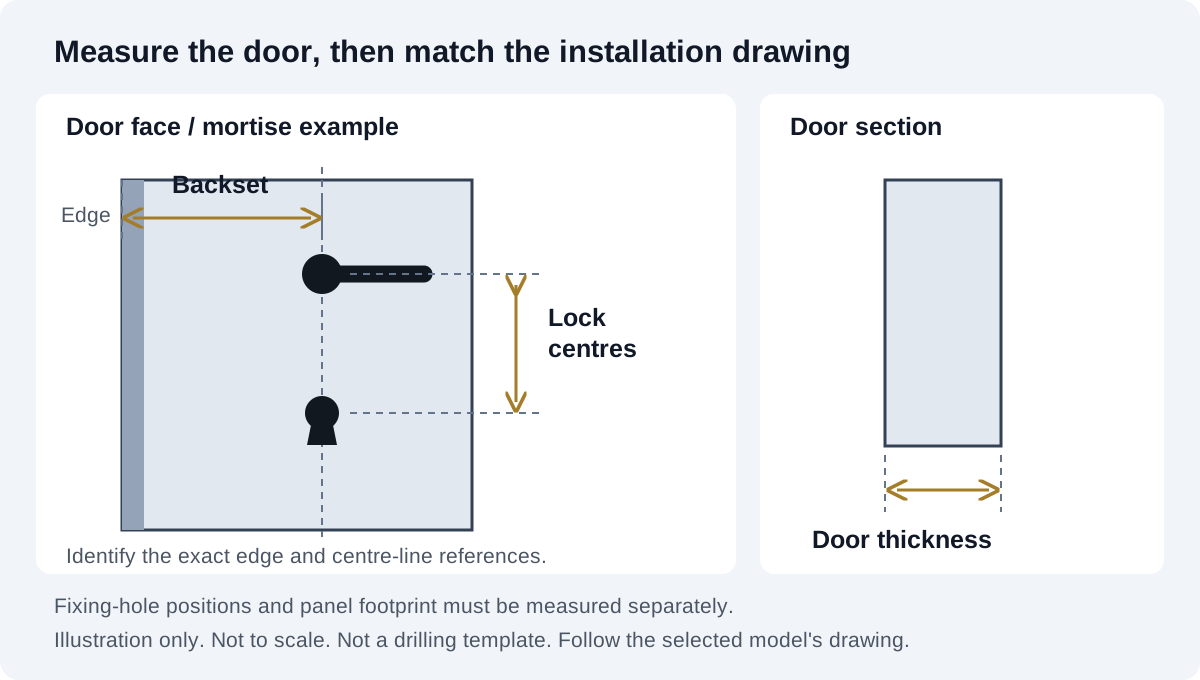
A smart lock can have the right appearance and still fail to fit the door. Door thickness, backset, lock centres, fixing centres and panel dimensions describe different measurements. Record each against the selected installation drawing rather than sending a single approximate size.
The illustration is a measurement guide, not a drilling template. Dimensions, reference surfaces and allowed preparation vary by lock type. Keep an existing lock in place unless removal is authorized and can be performed safely; ask the installer to inspect concealed parts.
1. Record the door thickness
Measure the door leaf between its two faces at the proposed lock position. Do not include a projecting handle or escutcheon. Tell the supplier about additional cladding, a rebate, a glass profile or other features that affect the mounting surfaces. Photograph the measurement so the reference points are clear.
2. Measure backset from the specified edge reference
For a typical bored lock, backset is the horizontal distance from the door edge to the centre of the bore. A mortise drawing identifies its own faceplate reference and spindle or cylinder centre line. Follow that drawing, especially on a rebated or profiled door. A panel's width is not its backset.
3. Keep lock centres and fixing centres separate
On a mortise assembly, record the centre-to-centre spacing between the handle spindle and cylinder or key opening when the drawing calls for it. Fixing centres describe the positions of mounting holes and are a separate measurement. Indicate which two points you measured; a number labelled only centres is ambiguous.
A familiar code such as 6068 is not a substitute for a drawing. Confirm the selected case, faceplate, hole positions and any handing or multipoint requirements. Avoid decoding a catalogue label into installation dimensions without the supplier's confirmation.
On small screens, swipe across the table to compare all models.
| Measurement | Record | Do not confuse with |
|---|---|---|
| Door thickness | Distance between the mounting faces | Panel depth or handle projection |
| Backset | Specified edge reference to the relevant centre line | Overall lock-case depth |
| Handle/cylinder centres | The two identified mechanism centres | Mounting screw spacing |
| Fixing positions | Each hole location referenced to the drawing | Latch or bolt travel |
| Panel footprint | Front/rear height, width and projection | Mortise pocket dimensions |
4. Check the panel, pocket and frame together
Record the existing faceplate length and width, lock-case pocket if accessible, panel clearance, handle sweep and frame strike position. Check whether the new panel covers existing holes without interfering with trim. An installer should assess any cutting or drilling: do not enlarge a pocket simply because a panel can cover the alteration.
5. Apply the selected model's actual range
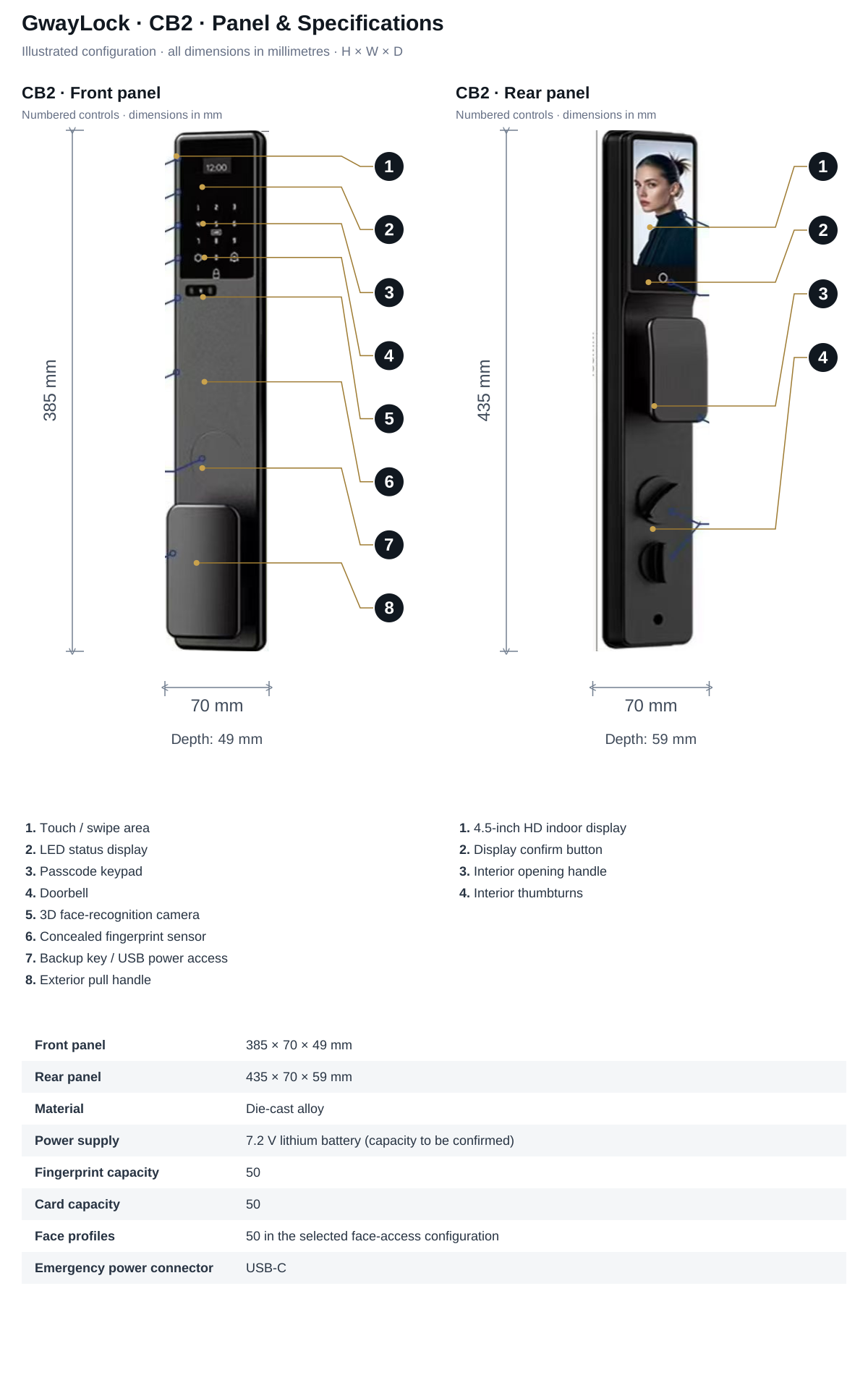
For example, 196 lists 30–50 mm doors, 150 × 64 mm front/rear panels and 60 / 70 mm latch backset options. CB2 lists 50–100 mm doors and different front/rear panel dimensions: 385 × 70 × 49 mm and 435 × 70 × 59 mm. These are catalogue examples for different platforms, not universal smart-lock dimensions.
Send a door-fit pack before ordering
Use millimetres consistently and label all photos. Add the door material, opening direction, existing lock and strike photographs, chosen model and app version. Ask for the installation template and included lock body to be confirmed in writing, then evaluate the approved sample on a representative door.
- Door thickness and mounting-face details
- Backset with its edge and centre-line reference
- Handle/cylinder centres and separate fixing positions
- Faceplate, pocket, strike and available panel clearance
- Opening direction and any door-specific project requirements
Sources and scope
Product information follows the referenced catalogue pages. Confirm the selected configuration and installation before ordering.
External references explain general principles, test scopes or products from other manufacturers. They do not establish performance, compatibility or certification for the selected GwayLock model.
FAQ
Frequently Asked Questions
Is panel width the same as backset?
No. Panel width is an external footprint measurement. Backset is measured from the specified door-edge or faceplate reference to the relevant bore, spindle or cylinder centre line, according to the installation drawing.
Are lock centres and screw centres the same measurement?
No. Handle-to-cylinder centres describe mechanism positions. Fixing centres describe mounting-hole positions. Record the reference points separately and obtain the selected model's template.
Explore related smart lock platforms
Review the selection guide and model specifications for each lock type before requesting samples.
Keep reading
Related Articles
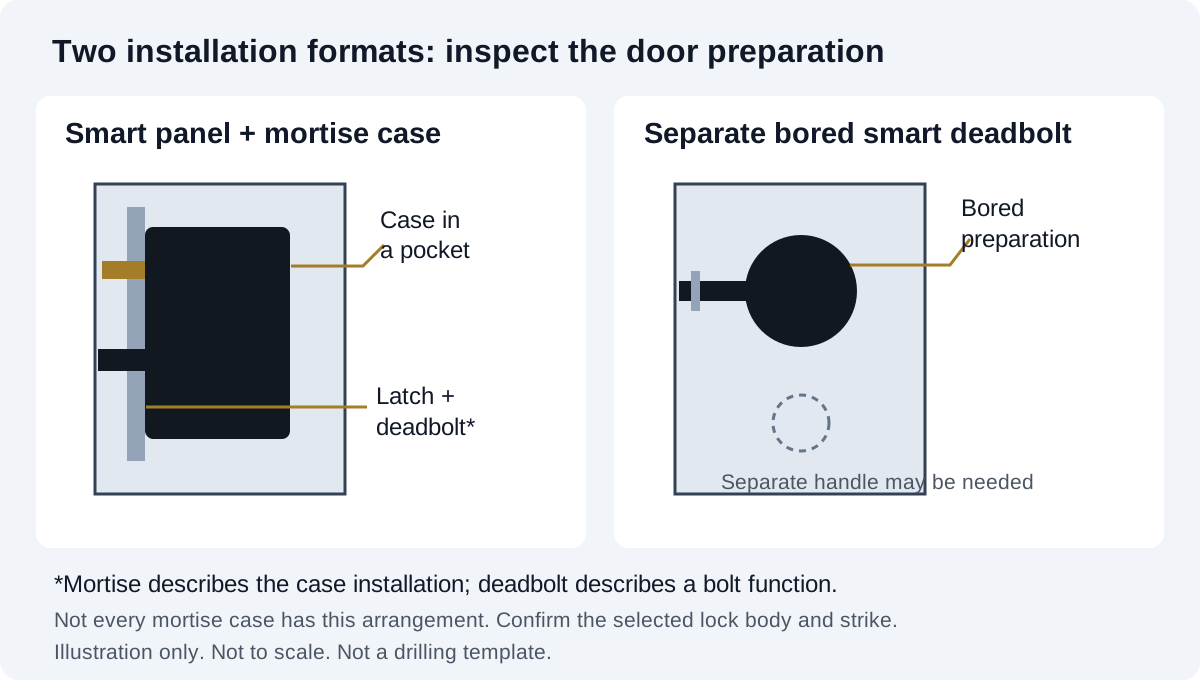
Mortise vs Deadbolt Smart Locks: Door-Fit Guide
Understand mortise lock cases, separate smart deadbolts and existing door preparation. Compare installation formats before choosing a replacement lock.
Oct 30, 2026
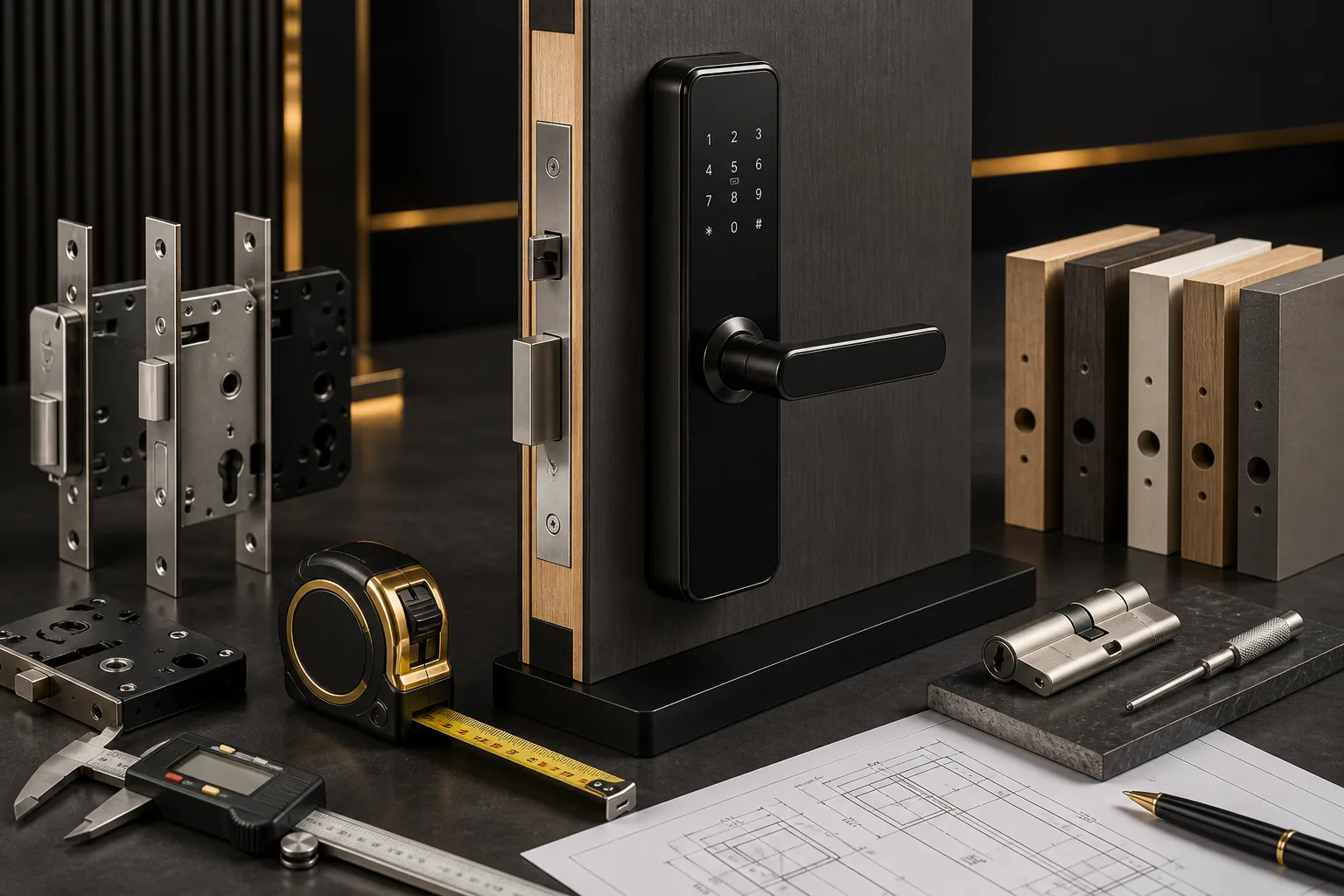
Smart Lock Door Compatibility Guide for Importers and Project Buyers
Compare 196, P13, P17, DS01, HP-03 and T1 door-fit requirements. Check panel dimensions, thickness, backset and mortise or rim mounting before samples.
Jun 22, 2026
Smart Lock Sample Order Guide for First-Time Buyers
How first-time buyers should order, test and approve smart lock samples before bulk production.
May 12, 2026
Need supplier support?
Discuss your smart lock OEM/ODM project with GwayLock
Send us your target market, door type, preferred app platform and customization needs. Our team will help you evaluate suitable models and prepare a practical quotation.